
Before using Outlook for the first time, you will need to add your Outlook profile.
1. Open the Outlook application
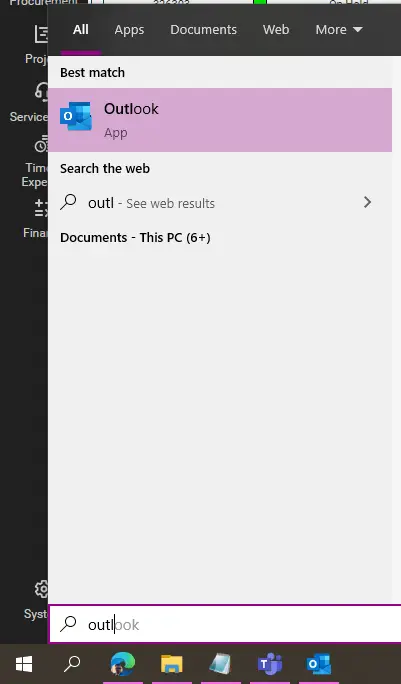
Select the Outlook icon in the Start menu or double-click the Outlook icon on the Desktop/taskbar.
2. Enter your Microsoft 365 account details
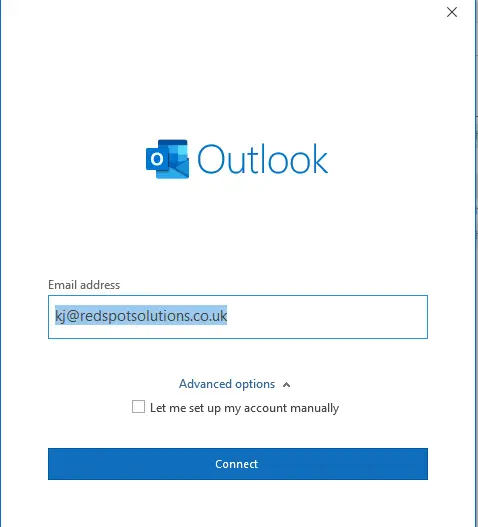
Enter email address and then click Connect. Enter your Microsoft 365 password when prompted in the box provided.
3. Wait for Outlook to configure your profile
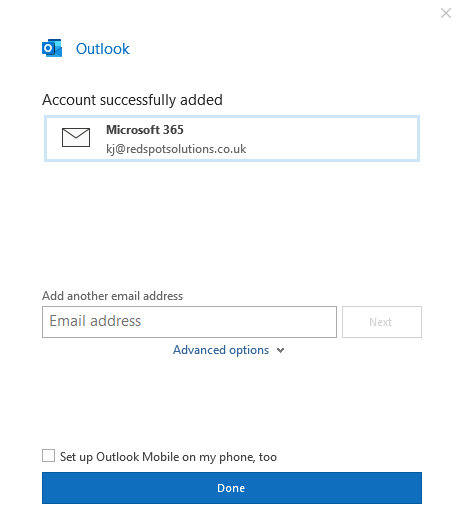
This may take a few minutes to complete. Once Outlook has finished you will see the following screen. You can now click Finish. Outlook will then setup your mailbox and open.
If you have access to any shared mailboxes, these will be added to Outlook automatically, but this may take up to 30 minutes to complete.
@import url(https://aloyecom.us1.aloye.online/wp-content/plugins/siteorigin-panels/css/front-flex.min.css); #pgc-5361-0-0 , #pgc-5361-0-2 { width:3% } #pgc-5361-0-1 { width:94% } #pl-5361 .so-panel { margin-bottom:10px } #pl-5361 .so-panel:last-of-type { margin-bottom:0px } @media (max-width:320px){ #pl-5361 #panel-5361-0-0-0 , #pl-5361 #panel-5361-0-1-0 , #pl-5361 #panel-5361-0-2-0 { margin:0 0 10px } #pg-5361-0.panel-no-style, #pg-5361-0.panel-has-style > .panel-row-style, #pg-5361-0 { -webkit-flex-direction:column;-ms-flex-direction:column;flex-direction:column } #pg-5361-0 > .panel-grid-cell , #pg-5361-0 > .panel-row-style > .panel-grid-cell { width:100%;margin-right:0 } #pgc-5361-0-0 , #pgc-5361-0-1 { margin-bottom:10px } #pl-5361 .panel-grid-cell { padding:0 } #pl-5361 .panel-grid .panel-grid-cell-empty { display:none } #pl-5361 .panel-grid .panel-grid-cell-mobile-last { margin-bottom:0px } } @media (max-width:1024px) and (min-width:321px) { #pg-5361-0.panel-no-style, #pg-5361-0.panel-has-style > .panel-row-style { -ms-flex-wrap:wrap;-webkit-flex-wrap:wrap;flex-wrap:wrap } #pg-5361-0 > .panel-grid-cell , #pg-5361-0 > .panel-row-style > .panel-grid-cell { -ms-flex:0 1 50%;-webkit-flex:0 1 50%;flex:0 1 50%;margin-right:0;margin-bottom:10px } }